While there are quite a few PDF reading/editing software libraries out there, there are only a handful of pertinent, quality ones built on PHP. Several of those libraries are open source and are included in PDF Ink: TCPDI, FPDI, TCPDF, and FPDF.
PDF Ink knits all these libraries together — and connects them to WordPress and WordPress e-commerce plugins so you can alter a copy of your PDF file just before it is delivered.
Here are what your library choices look like in the PDF Ink settings:
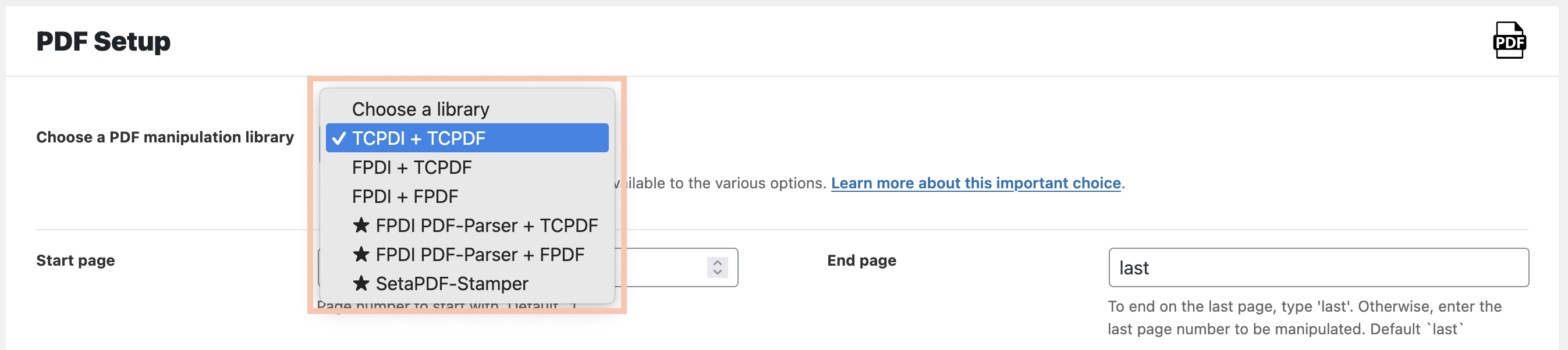
The starred choices include paid third-party add ons. Frankly, they work the best. Each selection shows a reader + writer, except SetaPDF-Stamper, which is itself a reader and a writer combined.
It’s safe to start with the default selection, and if it doesn’t work with your PDF, try another library set.
Demo the PDF Ink Libraries on your PDF Now!Our Recommendation
- Start with the included libraries – give TCPDI/TCPDF or FPDI/TCPDF or FPDI/FPDF a quick try.
- If they work, you’re all set – no extra cost, no hassle.
- If they don’t, upgrade to using a paid library (from Setasign) with PDF Ink, erasing all worries about PDF fidelity.
Paid Upgrade Paths
- If you like using FPDI and wish it would work with PDF files versioned 1.5 and newer, upgrade to using FPDI PDF-Parser with PDF Ink.
- If you need full PDF fidelity (for PDF forms, PDF layers, table of contents (ToC) and other internal links, bookmarks, annotations, PDF actions), upgrade to using SetaPDF Stamper with PDF Ink
When you purchase PDF Ink, you’ll receive a 20% discount code for SetaPDF Stamper and FPDI PDF-Parser.
Our support promise
We take care of PDF Ink – it’s fully supported and maintained by us.
The third‑party libraries (TCPDI, FPDI, SetaPDF, etc.) are maintained by their own teams. When you choose a paid library, you also get the peace of mind that comes with the vendor’s direct support.
Further information
Try the different libraries on your PDF (online PDF Ink demo) 👀
Which PDF Manipulation Library to Use? (2020 blog post)
A post about the differences between TCPDF and FPDF (by Yunus Emre Adas)